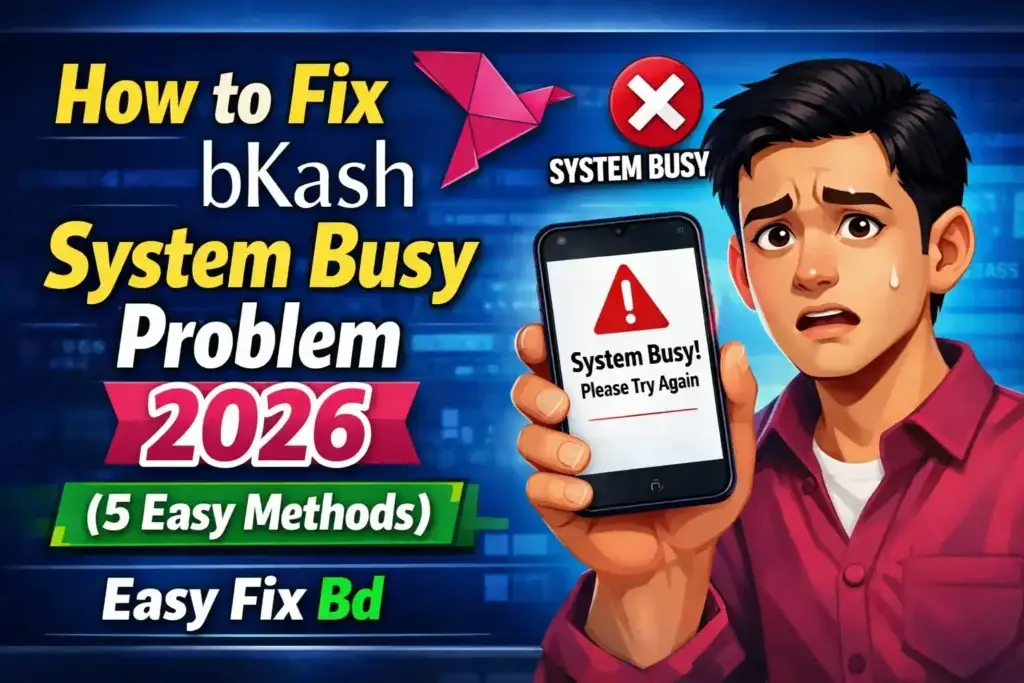
How to Fix bKash System Busy Problem 2026: 7 Comprehensive Methods
Here are the exact troubleshooting protocols used by tech support specialists and experienced users alike. We have ordered them from the quickest, most effective bypass to the more technical, device-specific fixes.
Method 1: The Instant Fix for bKash System Busy Problem 2026 Using USSD (*247#)
If you take away only one piece of information regarding how to fix bKash system busy problem 2026, let it be this: The USSD network and the App Data network are completely separate entities. The bKash app relies on the public internet highway, which is prone to traffic jams. The USSD system (Unstructured Supplementary Service Data) operates on the core cellular voice network—a dedicated, prioritized lane that is seldom congested.
This method works 99% of the time, even when the app has been stuck for hours.
For a complete reference of all USSD menu options and services available through *247#, You can visit bKash’s official Send Money service page.
Steps to Execute the USSD Fix:
-
Open your smartphone’s Dialer app (the screen you use to make phone calls).
-
Dial *247# using the SIM card registered to your bKash account.
-
Press the Call button.
-
A text-based menu will appear on your screen. This menu does not require an internet connection; it only needs a cellular signal.
-
Navigate the menu by replying with the corresponding numbers:
-
Reply
1for Send Money. -
Reply
2for Send Money to Non-bKash User. -
Reply
3for Mobile Recharge. -
Reply
4for Merchant Pay. -
Reply
6for Balance Inquiry (useful for checking if a transaction went through).
-
-
Follow the prompts to enter the recipient’s number, the amount, and finally your secret bKash PIN.
Why This is the Best Fix: You are bypassing the overloaded internet gateway entirely. This is the single most effective answer to how to fix bKash system busy problem 2026 when you are in a hurry.
Method 2: How to Fix bKash System Busy Problem 2026 by Clearing App Cache and Force Stopping
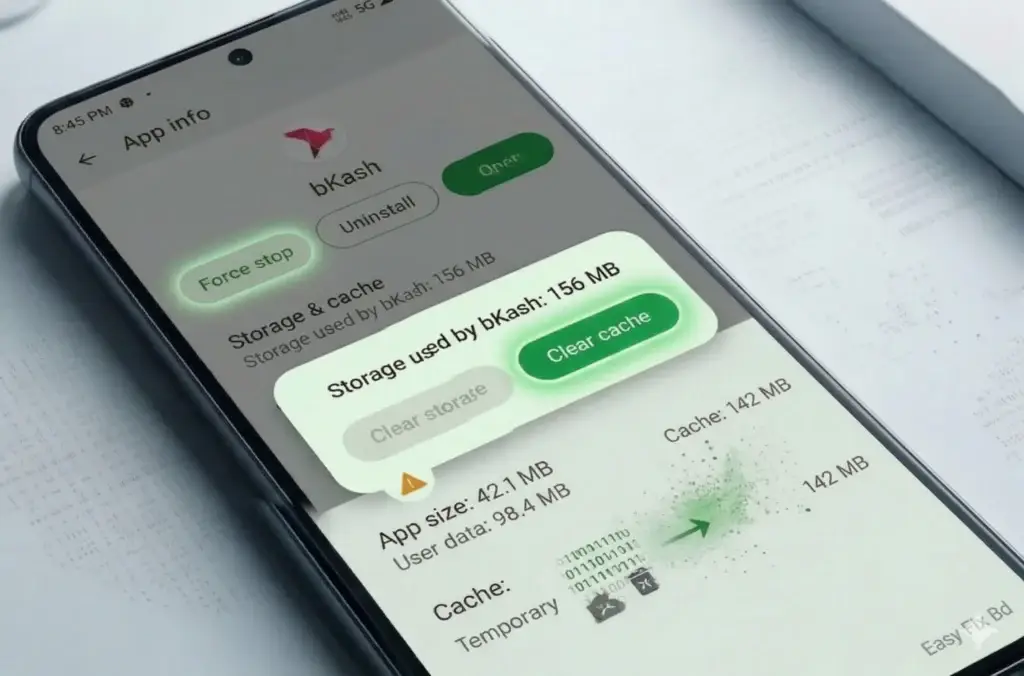
If you absolutely must use the app interface (for example, to scan a QR code or use the “Add Money” feature from a bank card), you need to reset the app’s local memory. Android devices, in particular, are notorious for holding onto corrupted cache files that prevent the app from communicating correctly with the 2026 server updates.
Detailed Guide to Force Stop and Cache Clear:
-
Navigate to Settings > Apps (or App Management on Xiaomi/Oppo/Vivo devices).
-
Scroll down and select bKash from the list of installed applications.
-
Tap Force Stop. Confirm the action if prompted. This completely kills the app process.
-
Tap Storage & Cache.
-
Tap Clear Cache.
-
Important Warning: Do NOT tap “Clear Data” or “Clear Storage.” Doing so will log you out of the app entirely, requiring you to re-enter your OTP and possibly re-verify your identity. Clearing the cache only removes temporary junk files.
-
-
Return to your home screen and relaunch the bKash app.
This method is a proven solution for how to fix bKash system busy problem 2026 caused by local device clutter.
Method 3: Fix bKash System Busy Error by Switching Network Sources (Wi-Fi vs. Mobile Data)
Sometimes, the issue is not with bKash at all, but with the IP Address assigned to your current internet connection. If you are using a shared Wi-Fi network (common in offices or apartments using a single broadband line), the bKash firewall may temporarily throttle that IP address if it detects multiple rapid requests from the same location (a standard DDoS protection measure).
The Diagnostic Workflow:
-
If you are currently on Wi-Fi: Swipe down and turn Wi-Fi OFF. Enable Mobile Data (4G/5G). Try the transaction again. If it works immediately, your Wi-Fi IP is the bottleneck.
-
If you are currently on Mobile Data: Turn Mobile Data OFF. Connect to a secure Wi-Fi network. Try again.
By changing your internet source, you are presenting a new digital identity to the bKash server. If you suspect the issue might be on bKash’s end rather than yours, you can check Downdetector’s real-time outage map to see if other users in Bangladesh are reporting similar problems. This is a simple yet highly effective strategy for how to fix bKash system busy problem 2026 without altering any settings on your phone.
Method 4: How to Fix bKash System Busy Problem 2026 with Airplane Mode Reset
Your smartphone maintains a connection to a specific local cell tower and a specific DNS (Domain Name System) server. If that specific routing path is experiencing high latency, your requests will consistently time out. Toggling Airplane Mode forces your phone to drop that connection and re-establish a fresh route to the bKash server.
Steps for a Proper Network Stack Reset:
-
Swipe down from the top of your screen to open the Quick Settings panel.
-
Tap the Airplane Mode icon to enable it.
-
Wait for a full 30 seconds. This is the critical step. Waiting forces the SIM card to fully de-register from the network tower.
-
Tap the Airplane Mode icon again to disable it.
-
Wait for the 4G/5G signal icon to stabilize in your status bar.
-
Open the bKash app.
This method clears the network routing table and is a frequently overlooked answer to how to fix bKash system busy problem 2026.
Method 5: Solving the bKash System Busy Problem by Updating the App and System Components
Using an outdated version of the bKash app in 2026 is a guaranteed path to the “System Busy” screen.
According to recent reports, the latest bKash app update introduced a more personalized interface and enhanced transaction stability—both critical for avoiding timeout errors. As bKash updates its security certificates and backend API architecture, older versions of the app become incompatible. The server rejects these outdated requests, and the app misinterprets this rejection as a busy signal.
Verification and Update Checklist:
-
Update bKash: Open the Google Play Store (or Apple App Store). Search for “bKash.” If an Update button is visible, tap it immediately.
-
Update Android System WebView (Android Only): Go to Play Store > Search “Android System WebView” > Update. bKash uses this component heavily for in-app security screens.
-
Check Date & Time Settings: Go to Settings > Date & Time. Ensure “Set Automatically” is toggled ON. If your phone’s clock is manually set and drifts by even a few minutes, the encryption handshake with the server will fail, causing the bKash system busy error.
Method 6: How to Fix bKash System Busy Problem 2026 by Disabling Battery Optimization
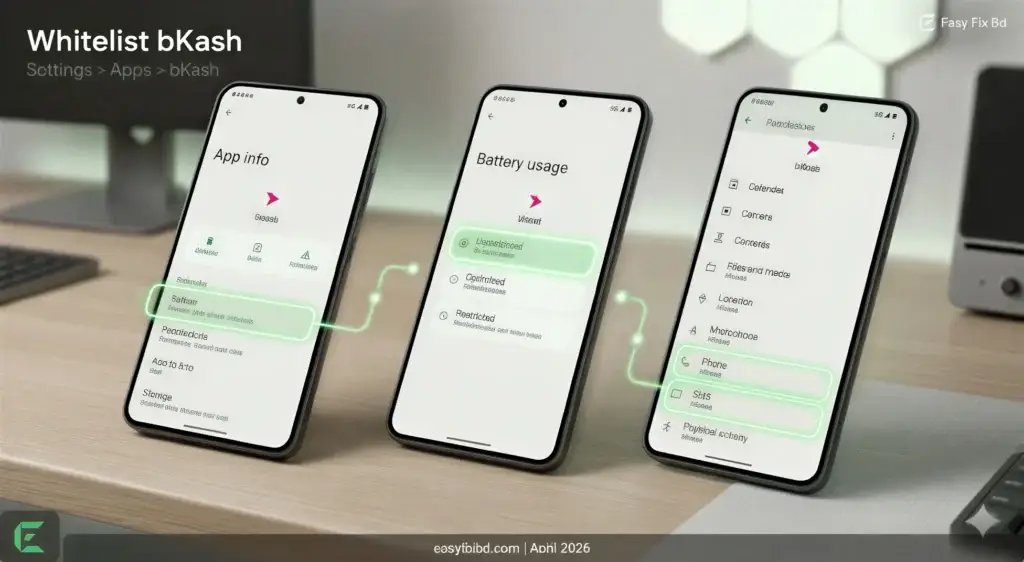
In 2026, smartphone manufacturers (Samsung, Xiaomi, Realme, Vivo) have implemented aggressive AI-driven battery management. These systems often misclassify the bKash app as a non-essential background process and restrict its ability to maintain a constant internet connection. This results in the app timing out as soon as you try to perform an action.
How to Whitelist bKash from Battery Restrictions:
-
Go to Settings > Apps > bKash.
-
Tap Battery (or App Battery Usage).
-
Select Unrestricted or No Optimization.
-
Additionally, check Permissions and ensure SMS and Phone permissions are set to Allow. bKash uses these permissions to read OTP messages automatically; denying them can cause background verification loops that lead to the bKash system busy problem.
Method 7: Strategic Timing – The Behavioral Fix for bKash System Busy Problem
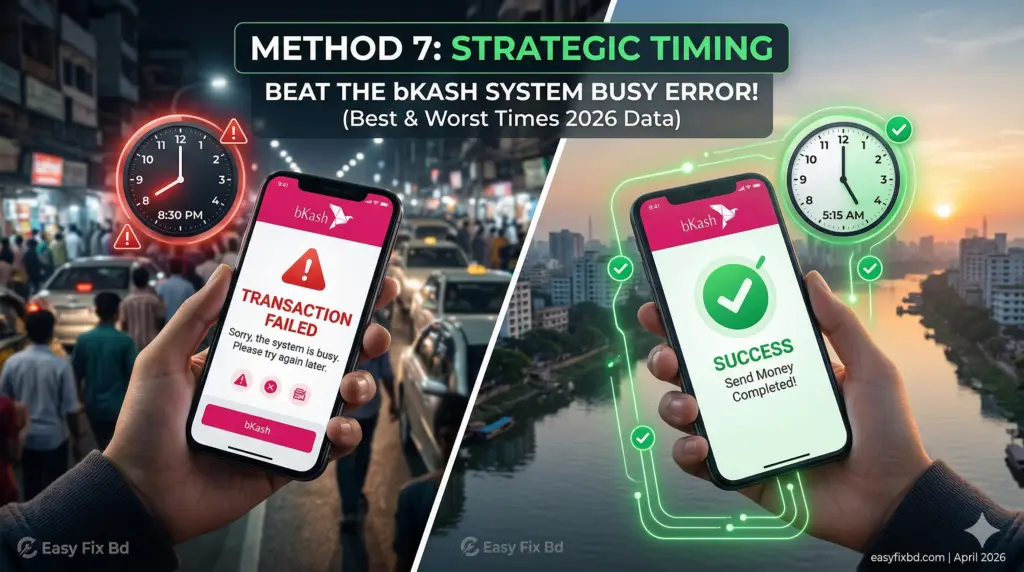
While technical fixes are essential, understanding when to transact is part of mastering how to fix bKash system busy problem 2026. You cannot beat the server queue with brute force during peak hours.
Optimal Transaction Windows in Bangladesh (2026 Data):
-
Best Time: 4:00 AM – 7:00 AM. Server load is at its absolute minimum. Success rate is near 100%.
-
Good Time: 12:00 AM – 2:00 AM.
-
Worst Time: 7:00 PM – 10:00 PM (Evening remittance rush) and First week of the month (Salary day).
Avoid the 15-minute window immediately following a nationwide mobile network outage restoration. The sudden flood of users logging back in guarantees a bKash system busy error.
What to Do When Money is Deducted During a System Busy Error?
This is the most common fear associated with learning how to fix bKash system busy problem 2026. You see the error, but you also see an SMS from your mobile operator stating data or balance was deducted.
The Official Reversal Process:
-
Do Not Panic: bKash uses an automated ledger system overseen by Bangladesh Bank.
-
Check Statement: Close the app, wait 5-10 minutes, and check your bKash Statement.
-
If Not Listed: The transaction failed server-side. The amount will be automatically reversed to your bKash balance within 2 to 72 working hours.
-
Do Not Double Pay: Do not send the money again using a different method until the original amount is credited back. This can lead to a “Lien” (negative balance) on your account.
-
Contact Support: If not reversed after 72 hours, dial 16247 or use the
bKash Live Chat to file a dispute ticket. You can also find your nearest bKash Customer Care Center using their official locator tool.
A Critical Warning: Do Not Use a VPN to Fix bKash System Busy Problem 2026
A common piece of misguided advice online suggests using a VPN to change your location and bypass the busy server. Do not do this.
bKash’s 2026 security infrastructure is geo-fenced to Bangladesh IP addresses. If the system detects a login attempt from a foreign IP (Singapore, USA, Europe), the AI Fraud Detection system will immediately flag the account for Potential Account Takeover. This results in a Temporary Freeze that can only be lifted by visiting a bKash Customer Care Center with your physical NID.
Using a VPN is not a solution for how to fix bKash system busy problem 2026; it is a security liability that will lock you out of your wallet.
See all: Guide & Tutorials
Frequently Asked Questions (FAQs)
Q: Why does the bKash system busy error appear only on my phone but works fine for the Agent?
A: Agents use a specialized USSD gateway with Quality of Service (QoS) prioritization. The bKash server is programmed to respond to Agent requests before Consumer App requests to ensure liquidity in the cash-out market.
Q: How to fix bKash system busy problem 2026 if my phone storage is completely full?
A: A phone with less than 500MB of free storage cannot write the temporary encryption files required for the transaction. Delete large videos or unused apps. For a detailed, step-by-step walkthrough on clearing out the biggest space hogs on your device, check out our previous guide on – How to Free Up Space in Google Photos on Android Easily. For a detailed cleanup guide, see our article on How to Free Up Space in Google Photos on Android.
Q: Is the “System Busy” error the same as a locked PIN?
A: No. A locked PIN results in a specific message like “Invalid PIN. X attempts remaining.” The bKash system busy problem is strictly related to network connectivity and server availability.
Conclusion
Navigating the digital economy of Bangladesh in 2026 requires not just a smartphone, but also the know-how to troubleshoot when technology stumbles. While we cannot control the traffic on bKash’s central servers, we can control how we interact with them.
By mastering these seven methods—especially the unbeatable *247# USSD bypass—you now possess a reliable toolkit for how to fix bKash system busy problem 2026. Remember to keep your app updated, your cache clear, and your transaction timing strategic. If this guide from Easy Fix Bd helped you complete your transaction, share it with friends and family so they too can bypass the digital queue with confidence.